Guichet
A Mac inbox that hands Slack and Notion requests to your agents.
One queue for what people ask you
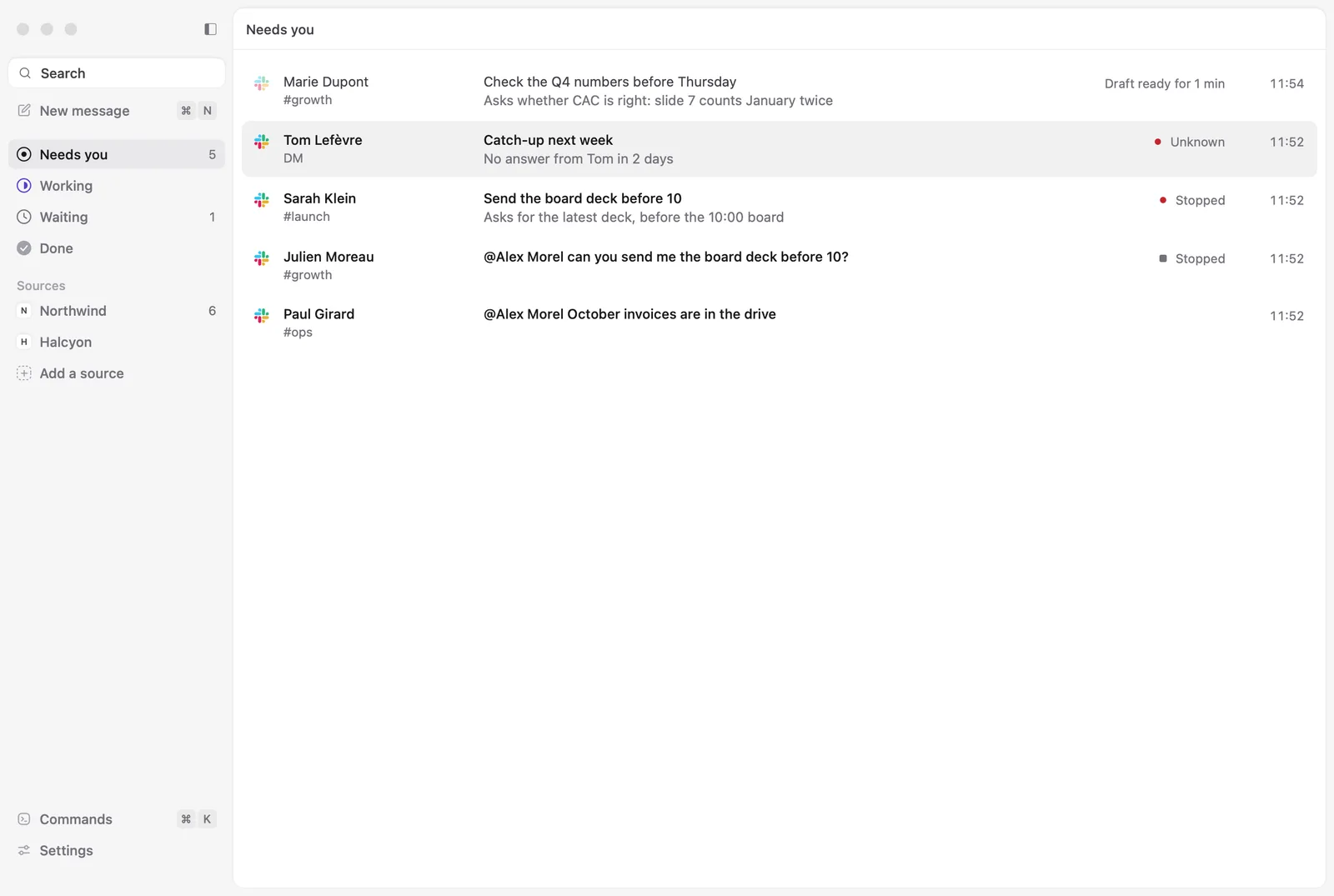
Slack mentions and direct messages, and Notion comments that mention you, land in one list on your Mac. Each row says what is asked, and the queue sorts them by where they stand: needs you, working, waiting, done.
A session for every request
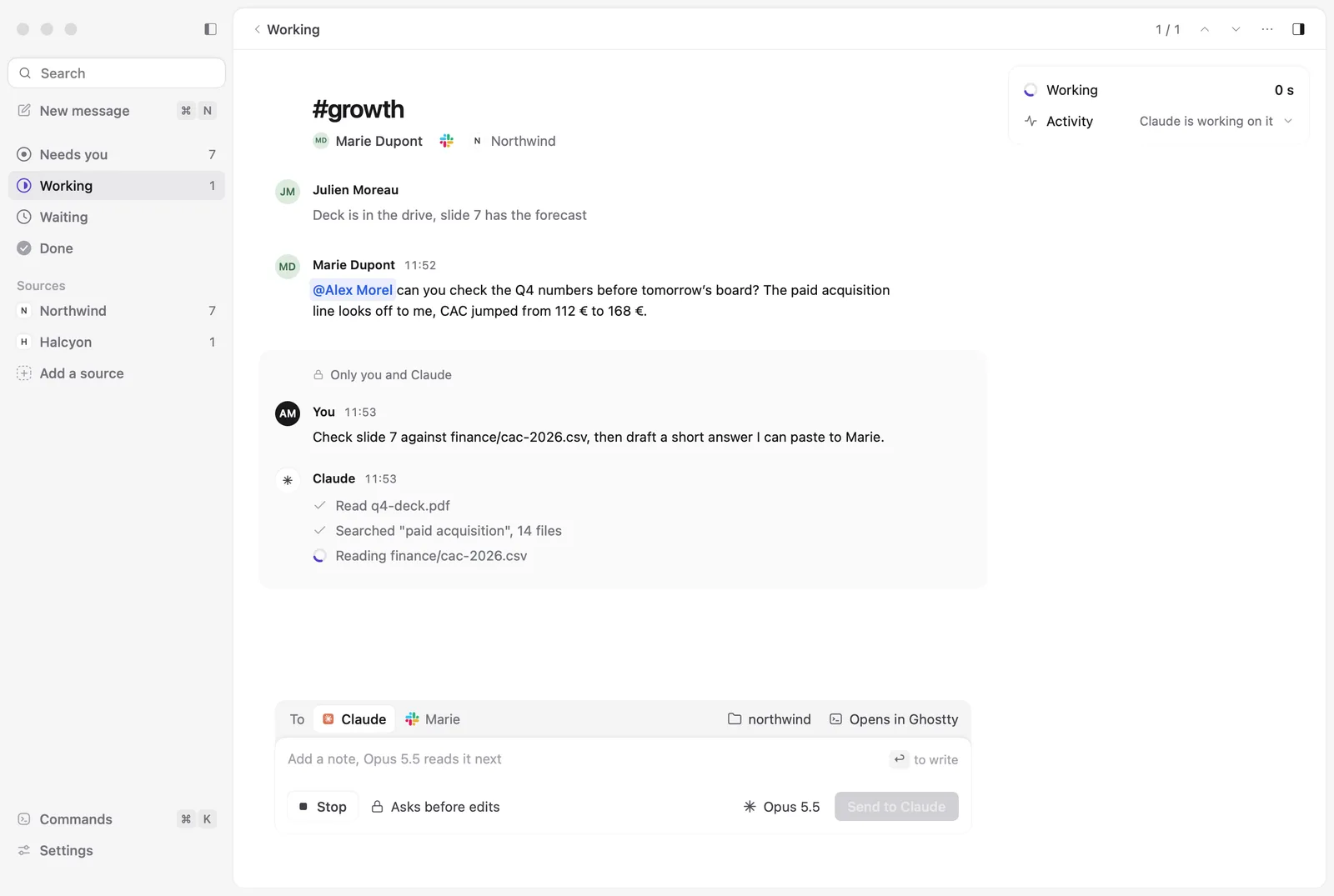
Each request gets its own Claude Code or Codex session, named after it, in the folder you chose for that kind of work. A rule can start it for you, like “mentions in #growth go to Claude Code in this folder”. Without a rule, one key starts it.
The session reads and searches on its own, and you watch each step on the request. By default, Claude Code asks you before it edits a file or runs a command, and Codex asks before it goes outside its sandbox. In the Claude app, the app's own permissions apply. The person's message reaches it as something to look into, never as instructions.
Nothing goes out without you
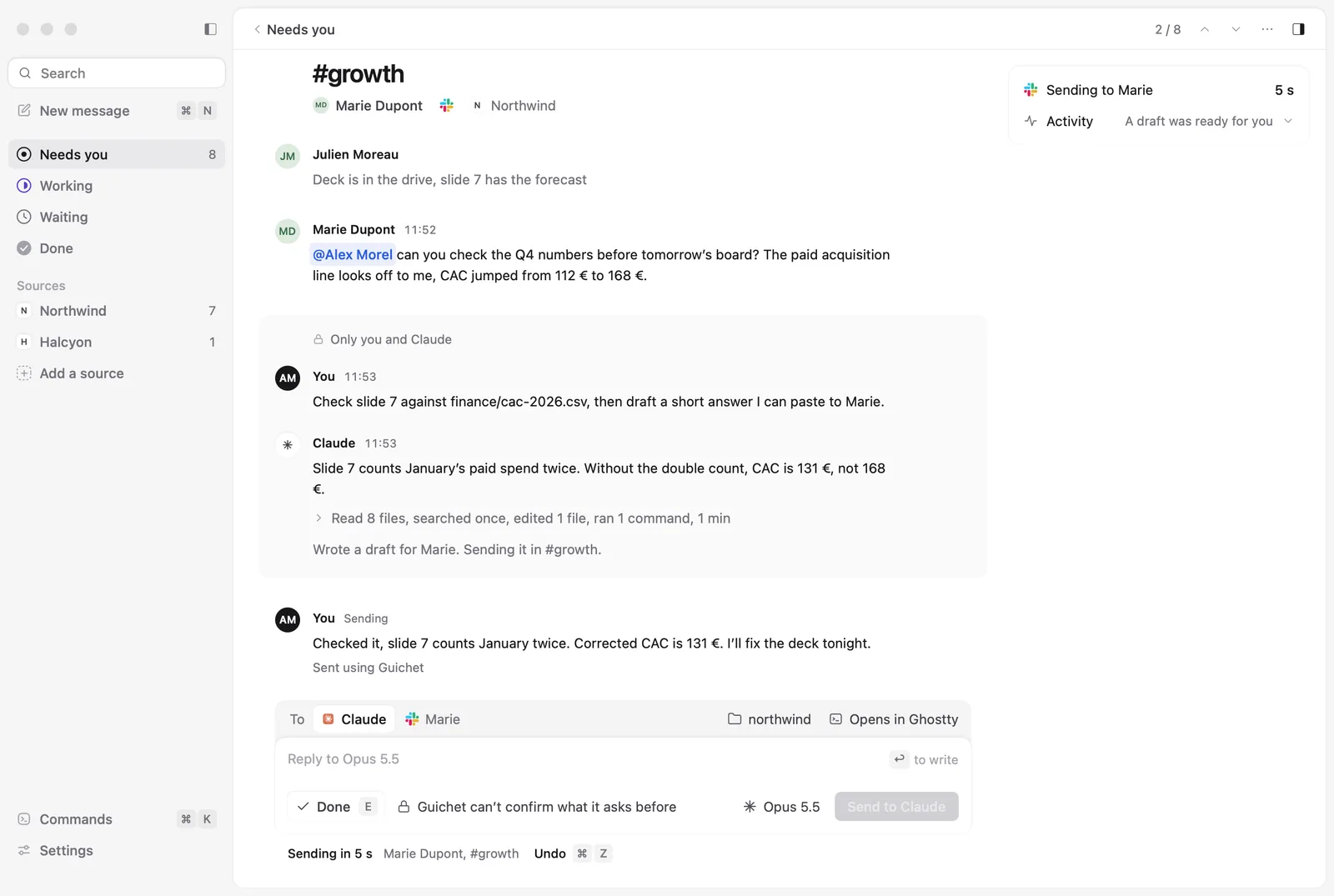
When the session has answered, its draft waits in the reply box. You change what you want, press Send, and Guichet posts it in the thread, with a few seconds to undo. In Slack it goes out as you. In Notion, Guichet's connection posts it under your name. A small grey line under it says “Sent using Guichet”, and a setting removes it.
A second opinion from Codex
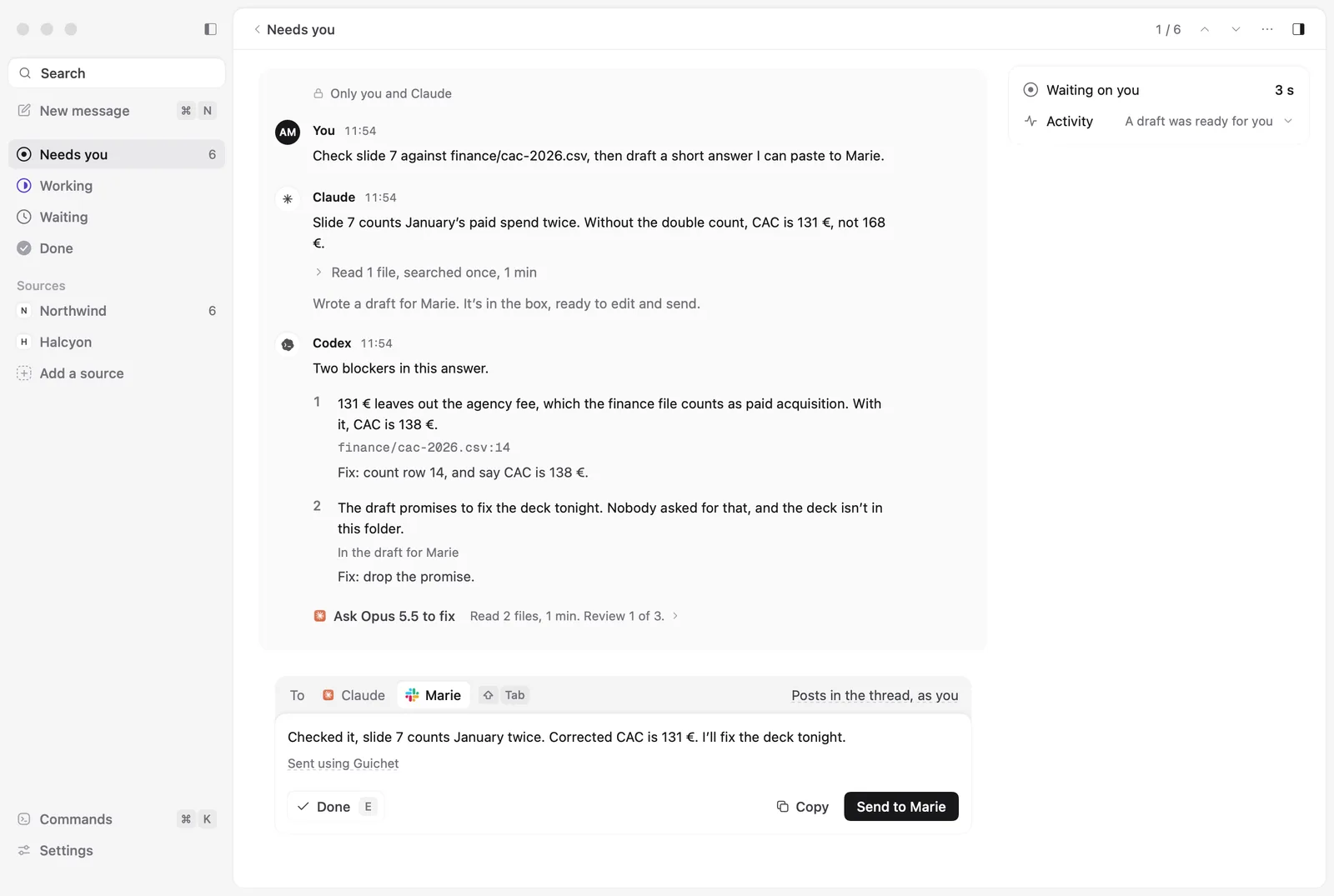
Once Claude Code has answered, Review with Codex has a fresh Codex session check the answer against the request and the folder. It lists blockers only, and you decide what to do with them.
Keyboard first
⌘K opens the commands over any request, ⌘N writes a new message to a person or a channel, and ⌘Z takes a reply back in its first seconds.
Your Mac, your subscription
Guichet has no model of its own. It starts the Claude Code or Codex you already have, on your own subscription, and the sessions run on your Mac with your files.